TedsWoodworking Claim Instant Access
ClickBank · Woodworking Plans Library

TedsWoodworking: 16,000+ Woodworking Plans for Every Project You'll Ever Build

Digital library · Instant access · 60-day guarantee

TedsWoodworking is a digital library of more than 16,000 woodworking plans — furniture, outdoor projects, workshop builds, sheds, home décor and small crafts — sold as a one-time $67 lifetime-access package through ClickBank. Every plan comes with step-by-step instructions, a cut list, a materials list, diagrams and multi-angle views, and the members area lets you search by project type and filter by difficulty, from beginner to advanced. This page explains exactly what you get, what the vendor claims, where the claims do not hold up, and how to use the library safely — so you can decide with your eyes open.

  • ✓ 16,000+ plans in 100+ categories — furniture, outdoor & garden, workshop, buildings, décor and crafts
  • ✓ Every plan includes step-by-step instructions, cut lists, materials lists, diagrams and multi-angle views
  • ✓ DWG/CAD plan viewer, 150 premium video classes and a woodworking business guide included
  • ✓ $67 one-time for lifetime access · 60-day money-back guarantee via ClickBank
YES — GET THE 16,000-PLAN LIBRARY NOW →
One-time payment · Instant access · 60-Day Money-Back Guarantee · Secure checkout via ClickBank
16,000+ PlansPDF library + members area
60-Day GuaranteeVia ClickBank
Instant AccessNothing ships
One-Time $67No subscription
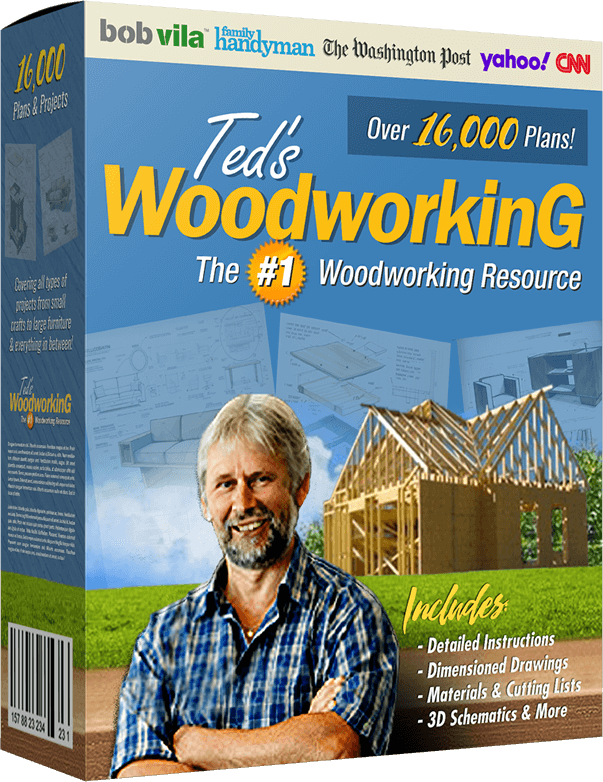
TedsWoodworking product box — over 16,000 woodworking plans, the number one woodworking resource
TedsWoodworking — 16,000+ plans · $67 one-time · 60-day guarantee
Read this first — an honest note

What this library is — and where the sales claims do not hold up

Before anything else, here is the honest picture, because the sales presentation for this product is enthusiastic and you deserve the other side of the story on the same page. TedsWoodworking is a large digital collection of woodworking plans. It is a real product, sold through ClickBank under vendor name TEDSPLANS, with a 60-day money-back guarantee, and it has been selling for years — ClickBank lists it with a gravity score of 73.74, an average of $51.16 per sale and a marketplace rank of 10. What is shaky is not the existence of the library, but several of the claims wrapped around it, and this page states them plainly rather than repeating them as fact.

First, the headline claim: "16,000 plans, each built and tested." That is unverifiable, and the sales page's own story does not sit comfortably with it. In one place the sales page says a team of twelve builds and tests every plan and adds five new plans a week; on the About page, Ted says he archived plans he owned and collected over 30 years. Both stories cannot fully describe the same collection. A library assembled over decades will contain plans of different ages, different drawing styles and different levels of detail, and no buyer can verify that all 16,000 were individually built and tested. Treat the number as the size of the collection, not as a guarantee that every single plan is equally complete, current or workshop-proven.

Second, the customer counts and media logos shown on the sales page — including the Bob Vila, Family Handyman, The Washington Post, Yahoo! and CNN marks printed on the product box — are unverified. No source, date or context is published for them, and this page does not repeat them as endorsements. They are decoration on the packaging, not evidence. Likewise, the "$749 total value" figure the vendor attaches to the package is the vendor's own number, and the "$39/month standard membership" the $67 lifetime price is compared against is the vendor's own framing — useful for understanding the offer, but not an independent market price.

Third, the plans are not permit-ready drawings. If you build a shed, a deck, a pergola or anything structural, these plans do not replace an engineer's drawings, a building permit or your local building code. Use them as woodworking guidance, and check with your local authority before you build anything that needs approval.

None of that makes the library useless. A large, searchable collection of plans with cut lists and materials lists is genuinely useful to a woodworker — it removes the blank-page problem, it gives you a starting point for almost any project, and at $67 one-time it costs less than a single hardwood board in some species. But buy it for what it verifiably is — a big digital plan library with a refund window — and judge it inside those 60 days on the plans you actually open, not on the headlines. The rest of this page walks through the library, the build process, the safety rules, the price and the guarantee in detail.

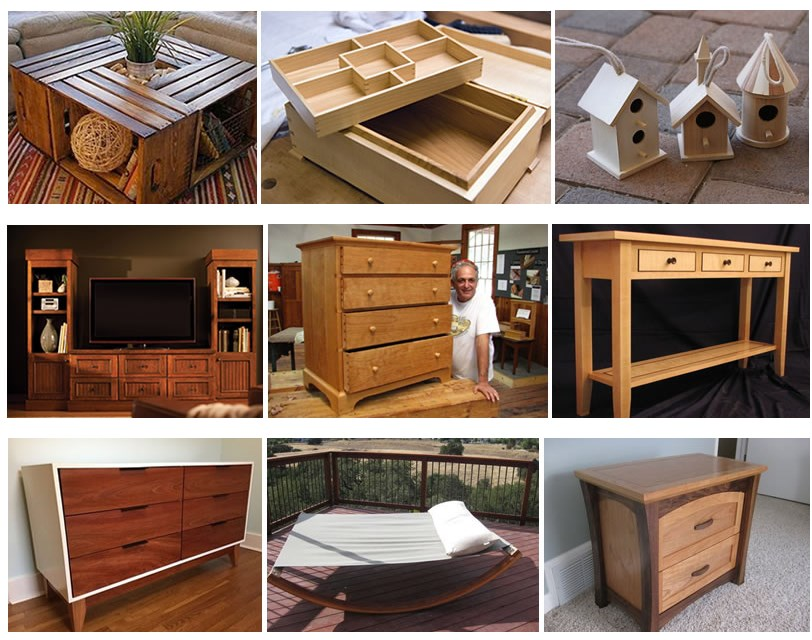
Finished woodworking projects from TedsWoodworking plans — tables, dressers, birdhouses and storage pieces
What is TedsWoodworking?

A 16,000-plan woodworking library by Ted McGrath

TedsWoodworking is a digital library of woodworking plans created by Ted McGrath, presented on the sales page as a master woodworker and educator with 25 years of teaching experience — that is the vendor's description of him, and there is no independent biography published to check it against. The product itself is straightforward: more than 16,000 plans in over 100 categories, delivered as PDF downloads inside a searchable members area, plus a DWG/CAD plan viewer, 150 premium video classes, a guide to starting a woodworking business, and more than 200 pages of woodworking technique guides. New plans are added monthly, and members can request custom plans.

The largest categories on the sales page give you a sense of where the weight of the library sits: furniture, with 2,650+ plans; outdoor & garden, with 2,150+; workshop & tools, with 1,850+; buildings & shelters, with 1,700+; and home décor, with 1,650+. Beyond those five, the remaining 100-plus categories cover everything from small crafts and toys to boxes, clocks, pet projects, kitchen items and garden structures. Each plan is presented with step-by-step instructions, a cut list, a materials list, diagrams and views from multiple angles, so you can see the finished piece, the parts and the assembly order before you cut a single board.

The members area is searchable, and you can filter plans by difficulty — beginner, intermediate or advanced — which matters more than it sounds. A beginner who opens an advanced plan by mistake will waste wood and patience; a skilled builder who can only find beginner projects will get bored. The filter is what turns a pile of 16,000 files into something you can actually use. And one detail that matters to anyone thinking about selling their work: the vendor states that you may sell what you build from these plans — the plans are yours to build from, and the finished pieces are yours to keep, gift or sell.

On ClickBank's marketplace, the product lists vendor name TEDSPLANS, a gravity score of 73.74, an average of $51.16 per sale and a rank of 10 in its category. Those marketplace numbers tell you the product sells steadily and has done so for a long time — they tell you nothing about the quality of any individual plan, and they should not be read as evidence for the vendor's "built and tested" claim. The honest way to judge this library is to open a dozen plans in your own skill range during the guarantee window and see whether the instructions, diagrams and cut lists are clear enough to build from.

How it works

Five steps from download to a finished piece

The library is designed to take you from "what should I build?" to a finished piece on your bench. Here is what each stage involves — and what to watch out for at each one.

1

Get instant access & log in to the members area

After checkout through ClickBank you get instant access to the members area — nothing physical ships, and there is nothing to wait for in the post. Log in, and take ten minutes to learn the search and the difficulty filters before you download anything. Search by project type ("bed frame", "birdhouse", "workbench") or browse a category, and set the difficulty filter to your real level, not the level you wish you were at. A realistic first project matters: it is the difference between a satisfying weekend and a half-built piece gathering dust. Save the plans you like, and download the ones you are actually going to build — a folder full of 200 unopened PDFs helps nobody.

2

Pick a plan & read it end to end

Choose one plan and read the whole thing before you buy a single board. Look at the finished-piece photos or diagrams, the multi-angle views, the step-by-step instructions and the cut list, and ask yourself the honest questions: do the steps make sense to you, are the measurements consistent, and does the plan assume tools or skills you do not have? Remember the honest note above: with 16,000 plans collected over decades, detail levels vary, so a plan that is thin on explanation is a real possibility — if a plan is unclear, pick a different one rather than guessing your way through a cut. If the plan uses the DWG/CAD viewer, open it there too: the viewer lets you inspect the drawings precisely, which is especially useful for joinery and for checking dimensions before you commit to timber.

3

Check the cut list & materials list

Every plan includes a cut list and a materials list — the two documents that turn a drawing into a shopping trip. Work through the cut list with a pencil: add up the board feet, check the timber sizes against what your local yard actually stocks, and price the materials before you buy. A plan is only as cheap as its materials list, and hardwood prices vary enormously by species and by region, so the cost of a project is set at the timber yard, not on the sales page. Note the fixings too — screws, glue, dowels, hinges, finish — because the small items are the ones that send you back to the shop mid-build. And if a plan calls for a species you cannot get locally, decide on a substitute now, before cutting, not halfway through.

4

Buy materials & build step by step

Buy your timber and fixings, then build in the order the plan gives you — and keep the plan open on the bench as you go. Measure twice and cut once is not a slogan, it is the cheapest habit in woodworking: a board cut short is a board wasted, and a joint cut wrong is an hour lost. Follow the safety rules in the safety section of this page throughout the build — guards on, push sticks in hand, dust mask on, and no reaching over a spinning blade. Work in order, dry-fit joints before you glue them, and stop when you are tired: most mistakes happen in the last hour of a long session, when concentration is gone and the saw is still sharp. The 150 video classes in the package are worth using here — if a technique is new to you, watch it demonstrated before you try it on your project piece.

5

Finish it, use it — or sell it

Sand, finish and assemble, then step back and judge the piece honestly: does it sit flat, do the doors and drawers work, is the finish even? A first project does not have to be perfect to be a success — it has to teach you something and end up usable. Keep it, gift it, or sell it: the vendor states you may sell what you build, and a well-made piece can pay for its materials several times over at a local market or to a neighbour. Then go back to the library and pick the next project, one step harder than the last. That progression — one project, one new skill, one slightly harder plan — is how a plan library actually makes you a better woodworker, rather than just a collector of PDFs.

Benefits

What a 16,000-plan library can realistically offer you

An honest list — every benefit below is about having a plan, a cut list and a next project, not about becoming a master woodworker overnight.

You never run out of projects

The most common reason a hobby woodworker stalls is not lack of skill — it is lack of a next project. With 16,000 plans across 100-plus categories, the blank-page problem disappears: there is always a bed frame, a garden bench, a toy chest, a workbench or a small craft waiting for the next free weekend. A library this size means you can match the project to the timber you already have, to the tools you own, or to the person you want to build for, instead of building the same three projects over and over because they are the only plans you own.

Cut lists & materials lists remove the guesswork

Every plan includes a cut list and a materials list, and that is the single most practical benefit in the package. A cut list tells you exactly what to cut and to what size before you touch the saw, which means less wasted timber, fewer trips back to the yard, and fewer mid-build surprises. A materials list tells you what to buy and in what quantities, so you can price a project before you commit to it. For a beginner, these two lists are the difference between a plan you can follow and a picture you can only admire.

Difficulty filters match plans to your level

The members area lets you filter by difficulty — beginner, intermediate or advanced — and that filter is what makes a library of this size usable rather than overwhelming. A beginner can start with small crafts, boxes and simple furniture, build confidence and basic skills, and move up a level only when the work feels comfortable. An experienced builder can skip straight to the advanced plans and ignore the simple ones. Without the filter, 16,000 plans is a haystack; with it, it is a ladder you can climb one project at a time.

Build furniture for less than buying it

A solid-wood dresser, bed frame or dining table from a furniture shop can cost many hundreds of dollars — and the price is mostly labour, markup and shipping, not timber. Building the same piece yourself from a plan costs the timber, the fixings and the finish, plus your time. The honest maths is that your time is not free, and a first attempt will take longer than a professional's, but the finished piece is yours, it is solid wood rather than flat-pack board, and it can be built to the exact size your room needs. Over several projects, the savings add up — and the furniture fits your home, because you measured it yourself.

Learn real skills with 150 video classes

The package includes 150 premium video classes, and video is the format that teaches woodworking best: you can see the hand position, the feed rate, the way a chisel is held and the way a joint is test-fitted, in a way a diagram alone cannot show. Used alongside the plans, the videos turn each project into a lesson — watch the technique first, then try it on scrap, then try it on your project piece. That is how skills actually build: one technique at a time, practised before it matters. The 200-plus pages of technique guides in the package serve the same purpose in print form, as a reference to keep beside the bench.

Sell what you build

The vendor states that you may sell the pieces you build from these plans, and that turns a hobby into a side income: a well-made birdhouse, cutting board, toy chest or garden bench can sell at a local market, to neighbours, or online, often for several times the cost of its materials. Be honest with yourself about the scale — this is a craft income, not a business windfall, and the included "How To Start A Woodworking Business" guide is a starting point, not a guarantee of sales. Quality, finish and local demand decide whether a piece sells, and a good reputation is built one satisfied buyer at a time. But the option is real, and it is one of the few plan libraries that states it plainly.

DWG/CAD viewer for precise plans

The included DWG/CAD plan viewer lets you open the technical drawings and inspect them precisely — zooming into joints, checking dimensions and seeing the drawing the way it was drafted, rather than as a flat picture. For joinery-heavy projects and for anything where a millimetre matters, that precision is genuinely useful, and it is the kind of tool that separates a serious plan library from a folder of pictures. If you have never used CAD software, the viewer is a gentle introduction: you are looking at real drawings, not learning to draft from scratch.

60-day refund window

Every order is covered by a 60-day no-questions-asked money-back guarantee handled through ClickBank, which is a meaningful safety net for a digital product you cannot inspect before buying. Sixty days is enough time to open a dozen plans in your skill range, build one or two projects, watch some of the video classes, and decide fairly whether the library is worth $67 to you. The refund covers the package itself — not the timber or tools you bought — and you should keep your order confirmation and the ClickBank receipt so the refund process is straightforward. How to claim it is explained in the guarantee section and the FAQ below.

What's inside

Everything included in the TedsWoodworking package

One digital library, six parts. No physical product ships, and there is no subscription on this offer — you pay $67 once and keep lifetime access.

The 16,000-Plan Library

The core of the package: more than 16,000 woodworking plans in 100-plus categories, delivered as PDFs in a searchable members area. Each plan includes step-by-step instructions, a cut list, a materials list, diagrams and multi-angle views. New plans are added monthly, and members can request custom plans. Remember the honest note above: detail levels vary across a collection built up over decades, so judge the plans you actually open.

Furniture — 2,650+ Plans

The largest single category in the library. Beds, dressers, tables, chairs, cabinets, bookcases, desks, toy chests and storage pieces — the furniture most people actually want in their homes. If your goal is to furnish a room with solid-wood pieces you built yourself, this is where most of your projects will come from, and where the savings over shop-bought furniture are biggest.

Outdoor & Garden — 2,150+ Plans

Benches, planters, birdhouses, garden sheds, pergolas, deck furniture, pet houses and outdoor storage. These are often the best first projects for a beginner: forgiving materials, simple joints, and a finished piece you can use the same weekend. Note that anything structural or load-bearing still needs to meet local codes — these plans are not permit-ready drawings.

Workshop & Tools — 1,850+ Plans

Workbenches, tool cabinets, storage racks, jigs and shop furniture — the projects that make every later project easier. A good workbench is the first serious build most woodworkers attempt, and a shop full of well-planned storage is what keeps a hobby enjoyable instead of chaotic. Many of the plans in this category pay for themselves in saved time within weeks.

Buildings & Shelters — 1,700+ Plans

Sheds, playhouses, gazebos, chicken coops, dog houses and small shelters. These are the biggest projects in the library, and the ones where the honesty notes matter most: check your local building rules and permit requirements before you build, use proper foundations and weatherproofing, and never treat a plan as an engineer's drawing. Built properly, a shed or playhouse is a satisfying, long-lasting project.

Home Décor — 1,650+ Plans

Clocks, boxes, shelves, mirrors, picture frames, candle holders and small decorative pieces. These are ideal starter projects — small, quick, cheap in materials, and easy to gift or sell. A decorative box or a wall shelf is also the right scale for learning a new joint or a new finish without risking an expensive board, which makes this category the practice ground for the bigger furniture builds.

The package is digital only. No timber, tools or hardware are included in the price — you buy those separately. Plans are delivered as PDFs in the members area, with the DWG/CAD viewer for technical drawings. The vendor's claimed total value of $749 for the package is the vendor's own figure.

Is it for you?

Who should consider TedsWoodworking?

This library suits a particular kind of buyer. If that is you, it can be a genuinely useful workshop companion. If it is not, your money is better spent elsewhere.

Beginners who want a first project

You have basic tools, a bit of space, and the desire to build something real — but no plan to start from. The difficulty filters let you find beginner projects with clear instructions and cut lists, the video classes teach the techniques, and the small décor and craft plans give you quick wins that build confidence. Start small, finish something, and let the library grow with you.

Intermediate hobbyists

You already own a saw, a drill and a sander, and you have built a few things — but you keep rebuilding the same projects because you have no new plans. This library is made for you: thousands of intermediate plans, cut lists that save you measuring time, and a next project always waiting. The furniture and workshop categories alone will keep you busy for years.

Experienced woodworkers

You can already build well, and you do not need a plan to hold your hand — you need drawings, dimensions and ideas. The DWG/CAD viewer, the multi-angle views and the sheer range of the library give you starting points you can adapt, modify and improve. Use the plans as a base and make them your own: change the timber, change the proportions, add your own joinery. A good plan is a shortcut, not a cage.

Builders who want to sell their work

You would like your hobby to pay for itself — selling a birdhouse, a cutting board, a toy chest or a garden bench at a market or to a neighbour. The vendor states you may sell what you build, and the business guide in the package is a starting point for pricing, presenting and selling your work. Keep your expectations honest: it is a craft income built one piece at a time, and quality and finish decide whether a piece sells.

An honest boundary: this library is not for anyone who wants a single perfect plan for one specific project — a huge library is the opposite of that, and you will spend time searching. It is not for anyone who dislikes working from PDFs on a screen, anyone with no tools and no intention of buying any, or anyone who needs permit-ready structural drawings for a building — those must come from a licensed professional. And it will not make you a master woodworker by itself: plans teach you what to build, but only building teaches you how. Buy it as a workshop library with a refund window — nothing more.

Safety — please read before building

Woodworking is safe when you respect the tools — and dangerous when you don't

Power tools do not forgive carelessness. These rules are not optional, and they matter far more than any plan in the library.

Table saws cause the most serious injuries

The table saw is the most dangerous common woodworking tool, and the numbers are stark. US Consumer Product Safety Commission data shows roughly 30,000 emergency-room-treated table-saw blade-contact injuries every year, and a 2017 CPSC study found the blade guard was not in use in about 88.9% of those cases. The lesson is blunt: the guard exists because the blade does not care about your fingers. Keep the guard and the riving knife fitted, use a push stick for every narrow cut, and never reach over a spinning blade for any reason.

Guards, riving knives & push sticks — always

Never remove the blade guard or the riving knife to "see better" or to make a cut faster. The riving knife prevents kickback — the sudden, violent throwing of a workpiece back toward you — and the guard keeps your hands out of the blade's path. Use push sticks or push blocks for any cut where your fingers would come within a hand's width of the blade, and use a featherboard where the plan calls for one. If a cut feels unsafe, stop and find another way to make it: a different tool, a jig, or a different order of cuts.

Measure twice, cut once — and check before you cut

Most workshop accidents and most wasted timber share the same cause: rushing. Check every measurement before you cut, mark the waste side of the line, and confirm the fence and the blade settings before the saw starts. Unplug a tool before changing a blade or a bit, and wait for the blade to stop completely before you reach for the offcut. Work when you are alert and rested — the last hour of a long session, when concentration is gone and the saw is still sharp, is when most mistakes happen.

Dust, noise, eyes & lungs

Sawdust is not harmless: fine wood dust irritates lungs and eyes, and some species are genuinely toxic. Wear a dust mask or respirator when sanding or cutting, use dust extraction where you have it, and keep the workshop ventilated. Wear safety glasses for every cut and every hammer blow, and hearing protection for power tools — hearing damage is cumulative and permanent. Keep the floor clear of offcuts and cables, keep children and pets out of the workshop while tools are running, and keep a first-aid kit and a phone within reach.

What actually keeps you safe: the rules above, followed every time, without exception. Guards fitted, push sticks used, measurements checked, dust mask on, and no shortcuts when you are tired. The plans in this library assume you already follow those rules — no plan can protect a builder who removes a guard or reaches over a spinning blade. If you are new to power tools, learn the safety basics from a reputable source before your first cut, and consider a local woodworking class: an hour with an experienced teacher is worth more than any number of plans.

What to expect

Your first 60 days with TedsWoodworking

A realistic plan for the guarantee window. Judge the library on the plans you actually open and build from — not on the headlines.

Days 1–7

Explore & pick your first project

Log in to the members area, learn the search and the difficulty filters, and browse the categories that interest you. Open a dozen plans in your skill range and read them properly — instructions, cut list, materials list, diagrams. Pick one beginner project you genuinely want to build, and price its materials at your local timber yard. If the plans you open are thin, confusing or inconsistent, that is already useful information — and you still have nearly the whole guarantee window ahead of you.

Week 2

Gather tools & materials, watch the videos

Buy the timber and fixings for your first project, using the plan's materials list, and check anything you are missing — a square, a sharp saw, clamps, glue, sandpaper, finish. Watch the video classes for any technique your first project needs, and practise it on scrap before you touch your project timber. Set up your workspace safely: guards on, dust mask ready, floor clear, first-aid kit in reach.

Weeks 3–4

Build your first project

Build your first piece step by step, keeping the plan open on the bench and checking each measurement before you cut. Dry-fit joints before gluing, sand between coats of finish, and take your time — a careful first build teaches more than a rushed one. When it is done, judge it honestly: does it sit flat, do the joints hold, is the finish even? A usable first piece is a success, even if it is not perfect.

Weeks 5–6

Second project & honest judgement

Pick a second project, one step harder than the first, and build it the same way. By now you will know how the library actually performs for you: are the plans clear, are the cut lists accurate, do the video classes help, and is the search finding what you need? This is the moment to decide whether the library earns its place in your workshop — and whether the remaining 15,998 plans are an opportunity or just a number.

Days 45–55

Make your decision

Decide before the deadline, not after it. If the library gave you clear plans, two finished pieces and a next project you are looking forward to, keep it — $67 for lifetime access to that many plans is a fair price. If the plans you opened were thin, inconsistent or not at your level, or the members area was hard to use, start the refund process now while you still have time to spare.

Day 60

Refund deadline

Day 60 is the last day of the no-questions-asked money-back guarantee, handled through ClickBank. After that date the guarantee closes, so do not leave a refund request to the final hours. Keep your order confirmation and ClickBank receipt until the window has passed, and confirm any refund in writing.

Compare your options

TedsWoodworking vs other ways to get woodworking plans

If you want plans to build from, compare honestly. The library is the cheapest way to get a lot of plans at once — and the only option here that is not free, not single-project, or not someone else's labour.

TedsWoodworking

A digital library of 16,000+ plans in 100-plus categories, with cut lists, materials lists, diagrams, a DWG/CAD viewer, 150 video classes and a business guide. One-time $67 for lifetime access, instant download, 60-day guarantee via ClickBank. The strength is range and searchability — a plan for almost any project, at any level. The honest limits are that plan quality varies across a decades-old collection, the "built and tested" claim is unverifiable, and the plans are not permit-ready drawings. Buy it as a workshop library, and judge it on the plans you open.

Free plans online

There are thousands of free woodworking plans on blogs, forums and video sites, and some of them are excellent. The cost is time: searching, checking quality, finding a plan that actually includes a cut list and a materials list, and discovering halfway through that a measurement is wrong or a step is missing. Free is a fair price for a single project, but for a builder who wants a reliable plan every weekend, the searching adds up. Use free plans to test whether you enjoy the hobby before you pay for a library.

A single woodworking book

A good woodworking book costs about the same as this library and usually contains 20 to 50 plans, carefully edited, consistently drawn and tested by the author. The quality per plan is higher, and a book is easier to keep open on the bench. What a book cannot do is cover 100 categories, search by difficulty, or add new plans every month. If you want depth in one area — chairs, say, or boxes — a specialist book may serve you better; if you want range, the library wins.

YouTube-only learning

YouTube has superb woodworking teachers, and watching a skilled builder work is the fastest way to learn a technique. But a video is not a plan: it rarely includes a full cut list, a materials list and dimensioned drawings you can take to the timber yard, and following along in real time means pausing, rewinding and guessing measurements. The best approach is often both — the library for the plan, and a video for the technique. The 150 video classes in this package are an attempt at exactly that combination.

Buying the furniture instead

The simplest option, and for a one-off piece it is often the sensible one: a shop-bought dresser costs money but no time, no tools and no risk of a crooked joint. What you give up is the fit — a bought piece is a standard size, not your size — the material, which is often board rather than solid wood, and the satisfaction of having built it. If you need a bed frame this week and have no tools, buy one. If you enjoy making things and want furniture that fits your home exactly, build it.

Doing nothing

The cheapest option, and for a while it feels free. But the chair that wobbles, the shelf that was never built, the garden bench that was never made and the workshop that stays chaotic do not fix themselves. A plan library does not build anything on its own — you still have to do the work — but it removes the most common excuse, which is not knowing what to build or where to start. If you have been meaning to start woodworking for a year, the honest question is whether a library will change that, or whether a single small project this weekend would.

Official pricing

Get TedsWoodworking below — one price, yours to keep

One package, one price, everything included. Order through the official checkout to qualify for the 60-day guarantee.

⚠ Today-only pricing — this special price is not guaranteed to last.

Secure 256-bit SSL checkout via ClickBank· Visa · Mastercard · Amex · Discover · PayPal· One-time payment — no subscription, no auto-billing

The vendor compares the $67 one-time price against a $39/month standard membership — $468 a year, so $67 saves $401 in the first year on the vendor's own figures. The vendor's claimed total value of $749 for the whole package is the vendor's own figure. At checkout you may be offered optional add-ons, unticked by default: a jigs and fixtures guide ($14.95), a hand-tools guide ($9.95) and a log-home plan book ($7.95) — only take them if you want them. After checkout, optional upsells may appear ($49, $39.95, $39.97, and a $27/month backend offer) — decline any you do not want, and confirm the final total before you pay. Physical DVD or USB copies of the library cost extra, and the price is not shown on the sales page.

Included extras

Four extras included with your order

The four extras below are included in the $67 price. The vendor counts them inside its claimed $749 total value — that figure is the vendor's own, so none of it is repeated here as an independent valuation. Treat them as useful extras, not as a reason to buy on their own.

1

DWG/CAD Plan Viewer

The first included extra: a viewer for opening the technical DWG/CAD drawings behind the plans, so you can inspect dimensions and joinery precisely instead of relying on a flat picture. For joinery-heavy projects and anything where a millimetre matters, this is the most practically useful extra in the package.

2

150 Premium Video Classes

The second included extra: 150 video classes covering woodworking techniques, demonstrated on screen. Video teaches hand positions, feed rates and tool handling in a way a diagram cannot, and used alongside a plan it turns each project into a lesson. Watch a technique first, practise it on scrap, then try it on your project piece.

3

"How To Start A Woodworking Business" Guide

The third included extra: a guide to turning your building into a side income — pricing your work, presenting it, and finding buyers for the pieces you make. It is a starting point, not a guarantee of sales: quality, finish and local demand decide whether a piece sells, and a reputation is built one satisfied buyer at a time.

4

200+ Pages of Woodworking Technique Guides

The fourth included extra: more than 200 pages of technique guides, as a printed-style reference to keep beside the bench. Useful for looking up a joint, a finish or a tool setup mid-project, when you do not want to stop and watch a video. Like the video classes, its value depends on whether you actually open it — so keep it where you build, not in a downloads folder.

60DAYGUARANTEE

Your purchase is covered for 60 days

Try TedsWoodworking for a full 60 days. If you are not satisfied — the plans you opened were thin or unclear, the cut lists were inaccurate, the members area was hard to use, or the library simply was not worth the price — you can claim a full, no-questions-asked refund of the purchase price through ClickBank. The guarantee covers the digital package itself, not the timber or tools you bought separately, so keep those costs in mind when you decide.

Here is exactly how it works. Your 60 days start on the day you place your order. Log in to the members area, open a dozen plans in your skill range, build one or two projects, and watch some of the video classes. If at any point in those 60 days you decide it is not for you, contact ClickBank support or use the refund process linked from your order confirmation, quoting your order details. Do not wait until day 60: start the process with time to spare, keep your receipt and order confirmation, and confirm the refund in writing. The guarantee covers orders placed through the official checkout, which is one more reason to buy there rather than from any third-party seller.

TRY TEDSWOODWORKING RISK-FREE FOR 60 DAYS →
FAQ

TedsWoodworking quick questions

Is TedsWoodworking a scam?+

It is a real digital product sold through ClickBank, a well-known payment processor, with a 60-day money-back guarantee — and it has been listed on ClickBank for years, with a gravity score of 73.74 and an average of $51.16 per sale. What is shaky is the sales presentation, not the existence of the product: the claim that all 16,000 plans were individually "built and tested" is unverifiable, the sales page's own origin story contradicts itself, and the customer counts and media logos on the page are unverified. Buy it as a large plan library with a refund window, open a dozen plans in your skill range, and judge it on what you can actually build from — not on the headlines.

Are there really 16,000 plans?+

The library is presented as containing more than 16,000 plans in 100-plus categories, and the largest categories are listed with counts on the sales page — furniture 2,650+, outdoor & garden 2,150+, workshop & tools 1,850+, buildings & shelters 1,700+, home décor 1,650+. What this page cannot verify is the vendor's claim that every one of those plans was individually built and tested: the sales page says a team of twelve builds and tests every plan, while the About page says Ted archived plans he owned and collected over 30 years, and both cannot fully describe the same collection. Treat 16,000 as the size of the library, and expect plan quality and detail to vary across a collection built up over decades.

What exactly do I get when I buy?+

You get lifetime access to a digital library of 16,000+ woodworking plans in 100-plus categories, delivered as PDFs in a searchable members area, with difficulty filters for beginner, intermediate and advanced. Each plan includes step-by-step instructions, a cut list, a materials list, diagrams and multi-angle views. Also included: a DWG/CAD plan viewer, 150 premium video classes, a "How To Start A Woodworking Business" guide, and 200-plus pages of woodworking technique guides. New plans are added monthly, and members can request custom plans. Nothing physical ships — it is instant access. No timber, tools or hardware are included; you buy those separately.

How much does it cost — is it really a one-time $67?+

The offer on the sales page is $67 as a one-time payment for lifetime access, with no subscription on this offer. The vendor compares that $67 against a $39/month standard membership — $468 a year — which is the vendor's own framing, and on those figures $67 saves $401 in the first year. The vendor also attaches a claimed total value of $749 to the whole package, which is the vendor's own figure and is not repeated here as an independent valuation. At checkout you may be offered optional add-ons and post-checkout upsells — see the pricing section above — and a $27/month backend offer may appear after purchase, which you can decline. Physical DVD or USB copies cost extra.

What is the $39/month membership about?+

The $39/month figure is the vendor's comparison price: the sales page presents a standard membership at $39 a month and offers the $67 one-time lifetime access as the alternative. At $39 a month, a year of membership would cost $468, so the one-time $67 price saves $401 in the first year on the vendor's own figures. This page states it as the vendor's framing, not as an independently verified market price, and the lifetime offer is the one you are actually buying — a single payment, no subscription, no monthly billing on this offer.

Are the plans good for beginners?+

Many of them are, and the difficulty filter is the tool that makes the library work for a beginner: set it to beginner and you will find small crafts, boxes, simple furniture and décor projects with clear instructions and cut lists. The 150 video classes help too, because watching a technique demonstrated is the fastest way to learn it. Start with a small project, finish it, and move up a level only when the work feels comfortable. One honest caution: because the collection was built up over decades, detail levels vary, so if a plan is thin on explanation, pick a different one rather than guessing your way through a cut.

Do the plans include cut lists and materials lists?+

Yes — every plan is presented with step-by-step instructions, a cut list, a materials list, diagrams and views from multiple angles. The cut list tells you what to cut and to what size; the materials list tells you what to buy and in what quantities, so you can price a project before you commit to it. Work through the cut list with a pencil before you buy timber, check the sizes against what your local yard actually stocks, and note the fixings — screws, glue, dowels, hinges, finish — because the small items are the ones that send you back to the shop mid-build.

Can I sell what I build from these plans?+

Yes — the vendor states that you may sell the pieces you build from these plans. A well-made birdhouse, cutting board, toy chest or garden bench can sell at a local market, to neighbours or online, often for several times the cost of its materials. Keep the scale honest: this is a craft income built one piece at a time, not a business windfall, and quality, finish and local demand decide whether a piece sells. The included business guide is a starting point for pricing and presenting your work, not a guarantee of sales.

Are the plans permit-ready? Can I build a shed or a house with them?+

No. The plans in this library are woodworking guidance, not permit-ready drawings, and they do not replace an engineer's drawings, a building permit or your local building code. If you build a shed, a deck, a pergola or anything structural, check with your local authority first, use proper foundations and weatherproofing, and get a licensed professional involved where the rules require it. The buildings and shelters category is a source of ideas and dimensions — not a substitute for approval.

What are the checkout add-ons and upsells?+

At checkout you may be offered three optional add-ons, unticked by default: a jigs and fixtures guide for $14.95, a hand-tools guide for $9.95, and a log-home plan book for $7.95. Only take them if you want them — they are not required for the main library. After checkout, optional upsells may appear at $49, $39.95 and $39.97, plus a $27/month backend recurring offer. Decline any you do not want, and confirm the final total before you pay. Physical DVD or USB copies of the library cost extra, and their price is not shown on the sales page.

Is there a physical version — DVD or USB?+

The main offer is digital: instant access to the members area and PDF downloads, with nothing shipped. The vendor does offer physical DVD or USB copies of the library for an extra cost, but the price is not shown on the sales page, so this page cannot state it. If you prefer a physical copy, check the price at checkout before accepting it — and remember the digital version is the same library, available immediately, with no shipping wait.

Who is Ted McGrath?+

Ted McGrath is presented on the sales page as a master woodworker and educator with 25 years of teaching experience. That is the vendor's description, and there is no independent biography published to check it against — so this page reports it as the vendor's claim, not as a verified fact. What matters more than the biography is the library itself: open a dozen plans in your skill range during the guarantee window and judge the instructions, diagrams and cut lists on their own merits.

What if a plan is unclear or missing something?+

First, check the plan in the DWG/CAD viewer — the technical drawings often answer what the written steps leave out. Then check the video classes for the technique involved. If the plan is still unclear, pick a different plan: with 16,000 to choose from, there is almost always another version of the same project, and guessing your way through a cut is how timber gets wasted and fingers get hurt. Members can also request custom plans, and new plans are added monthly. If you find that many of the plans you open are thin or inconsistent, that is a fair reason to use the 60-day guarantee.

How do I get a refund?+

The product is covered by a 60-day no-questions-asked money-back guarantee via ClickBank. Your 60 days start on the day you order. To claim it, contact ClickBank support or use the refund process linked from your order confirmation, quoting your order details. Start the process with time to spare rather than on day 60, keep your receipt and order confirmation, and confirm the refund in writing. The refund covers the digital package, not the timber or tools you bought separately.

Where is the safest place to buy?+

Only through the official ClickBank checkout reached from the official sales page — that is the only route covered by the 60-day guarantee. Do not buy copies from marketplaces, auction sites, social-media sellers or anyone offering a "cheaper" download: those copies are not covered by the guarantee, may be incomplete or altered, and you would have no refund route through ClickBank. The buy links on this page go to the official ClickBank checkout.

Do I need expensive tools to start?+

No — but you do need some tools, and the honest answer depends on the project. A beginner project can be built with a handsaw or a circular saw, a drill, a square, clamps, sandpaper and glue. Bigger furniture projects will want a table saw, a router or a planer, and the workshop category assumes a reasonably equipped shop. The plans themselves do not include tools, and the materials list will not warn you about a tool you do not own — so read the whole plan first and check the tool requirements before you buy timber. Borrow or rent a tool for a first project rather than buying it for one cut.

Will the plans work in my country — metric or imperial?+

The plans are drawn in imperial measurements — feet, inches and fractions — as is standard for US woodworking products, and the timber sizes assume US lumber dimensions. If you work in metric, you will need to convert the measurements and match the timber sizes to what your local yard stocks, which is straightforward with a conversion chart but adds a step to every cut list. The techniques, joints and assembly order are the same in any measurement system, so the library is usable anywhere — just budget the conversion time into your first few projects.

What is the realistic best outcome from buying this library?+

The realistic best outcome is a workshop that never runs out of projects: you open a plan on a Friday evening, buy the timber on Saturday morning, and finish a usable piece by Sunday — then do it again next weekend, one skill harder each time. Over months, that turns into real ability: joints that fit, finishes that look good, furniture that fits your home exactly, and perhaps a few pieces sold to neighbours. What will not happen is overnight mastery, a business windfall, or a shed built without permits. If that honest outcome sounds worth $67 to you, buy it; if you were buying it for a single perfect plan, a specialist book may serve you better.
TedsWoodworking product box — over 16,000 woodworking plans

Ready to start building from 16,000 plans?

Get lifetime access to the complete TedsWoodworking library for a one-time $67, with instant access and a 60-day money-back guarantee via ClickBank. Pick your first project this weekend — and judge the library on what you build.

YES — GET THE 16,000-PLAN LIBRARY NOW →
TedsWoodworking — $6760-day guarantee · One-time payment
GET INSTANT ACCESS →